Does Matching Every Job Description Keyword Actually Help Your Resume? (Based on LoopCV's 2178 Resume Screenings)
If you've ever tailored a resume for an ATS, you've probably heard the advice to match as many keywords from the job description as possible.
The logic is understandable. ATS platforms can scan resumes for skills, job titles, qualifications, and other terms related to a role. But after screening and mapping 2,178 resumes to outcomes such as who landed jobs and the quality of those jobs, we found that simply matching more keywords isn't always the best approach.
A resume filled with copied phrases and repeated keywords can become difficult to read, hide real achievements, and even include skills that don't match the candidate's actual experience. Based on this data, the better approach is to identify the keywords that matter and use them naturally where they genuinely apply.
- Matching every keyword in a job description isn't necessary for a strong resume. Focus on the terms that genuinely matter for the role and match your experience.
- Must-have requirements, nice-to-have skills, and generic job description language should be treated differently when tailoring a resume.
- Keyword stuffing can make a resume repetitive, harder to read, and may lead to skills being added that the candidate cannot genuinely support.
- The most useful keywords are those that accurately describe your skills, responsibilities, and achievements.
- Resume keyword tools can help identify potential gaps, but every suggested keyword should be checked against your actual experience before it is added.
- LoopCV can help identify keyword gaps, review CV quality, create different CV versions, find relevant jobs, automate applications, and track the job search.
Why people think they need to match every keyword
The advice to match job description keywords comes from a real part of the hiring process. Applicant tracking systems can scan resumes for information related to a role, including skills, job titles, qualifications, and other relevant terms.
Over time, that advice has often been reduced to a simpler idea: the more keywords a resume contains, the better its chances of getting through the ATS.
That's where things can go wrong.
A candidate may start adding every skill, phrase, and requirement from a job description without checking whether each one actually belongs on the resume. The result can be a document that contains plenty of keywords but gives less attention to the candidate's actual experience.
Keywords should support the resume, not become the entire strategy.
What happens when you try to match every keyword?
Your resume can stop sounding natural
A resume packed with keyword phrases can quickly become difficult to read. Bullet points may start looking like collections of terms instead of descriptions of actual work.
This can also make achievements harder to identify. Instead of explaining what someone did and what they achieved, a bullet might simply repeat several skills from the job description.
A strong resume should make relevant experience easy to understand.
You can end up repeating the same terms
If a job description mentions a skill several times, there is no need to force that same phrase into every section of the resume.
For example, if "project management" appears repeatedly in a posting, it doesn't need to appear in the summary, skills section, and every experience bullet. One or two relevant examples showing how the candidate used project management can provide much more context.
You may add skills you don't actually have
This is one of the biggest problems with chasing a perfect keyword match.
A job description might list a tool or skill that a candidate has never used. Adding it simply because it appears in the posting creates a gap between the resume and the candidate's actual experience.
That gap can become obvious during an interview.
A keyword should describe something the candidate can genuinely support through experience, education, training, or certification.
Your achievements can get buried
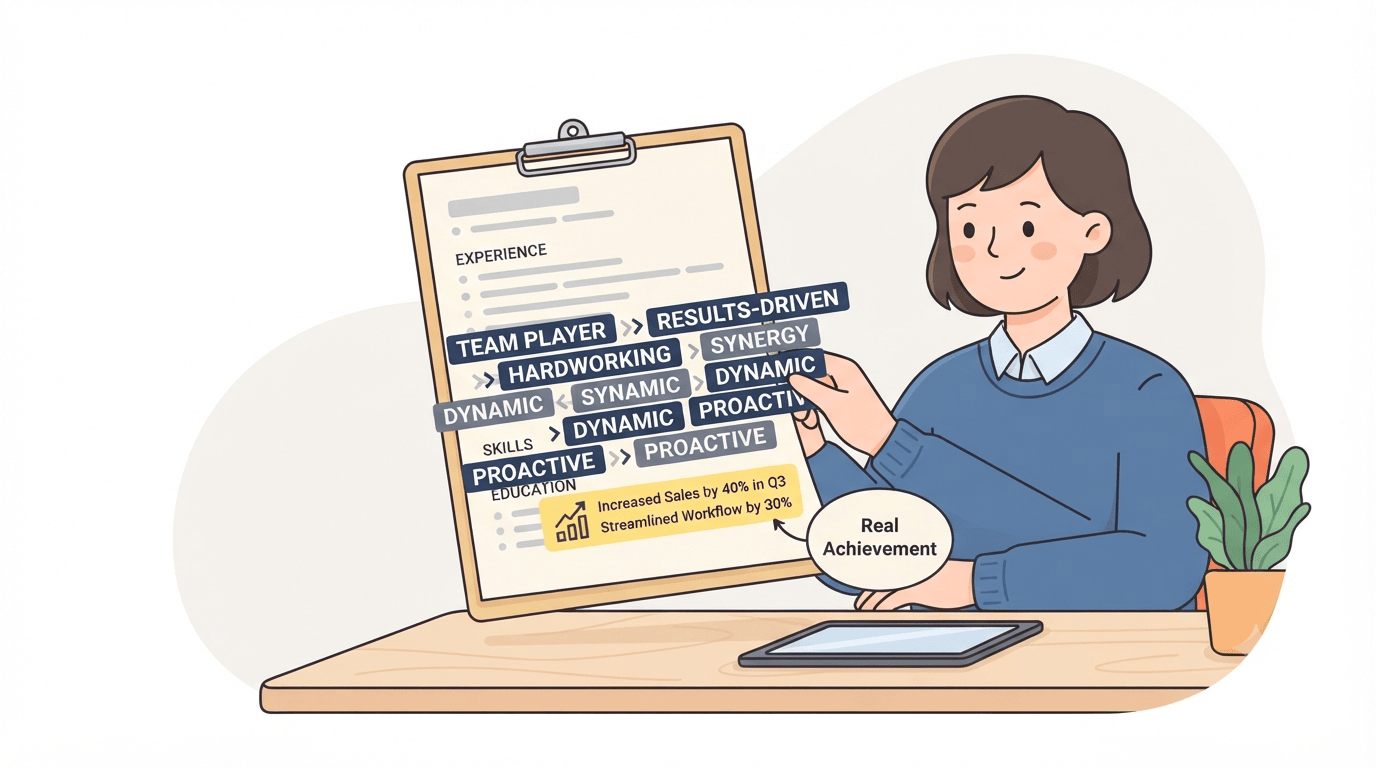
A resume should show what someone has done, how they did it, and what results they achieved.
When too much space goes toward keyword matching, those details can become harder to find.
Compare:
SEO, content marketing, SEO strategy, keyword research, content optimization, digital marketing
with:
Increased organic traffic by 35% by building content clusters around high-intent search terms and improving on-page optimization.
David, who runs an SEO agency that helps businesses in Perth, says the second version gives the employer useful information because it shows the result instead of just listing the terms.
Every application can turn into a rebuild
Trying to match every word in every job description can also make tailoring a resume unnecessarily time-consuming.
One application needs one set of keywords. The next needs another. Eventually, there can be several versions of the same resume, each changed to accommodate a slightly different keyword list.
A stronger approach is to maintain a solid base CV and make targeted changes when a role has genuinely different requirements.
Which keywords actually matter?
Not every term in a job description deserves the same attention.
Must-have keywords
These are requirements directly related to performing the role. They can include:
- Required technical skills
- Specific software or tools
- Certifications
- Qualifications
- Years of experience
- Relevant job titles
If you genuinely have these skills, they should be clearly represented on your resume.
Nice-to-have keywords
These are additional qualifications that can strengthen an application without necessarily being essential.
They may include secondary tools, additional skills, preferred experience, or qualifications listed under a "preferred" section.
Include them when they genuinely match your background.
Filler keywords
Some job descriptions contain generic phrases such as "team player," "fast-paced environment," "results-oriented," or "excellent communication skills."
These phrases can describe workplace expectations, but they don't always tell a recruiter much about a candidate's actual experience.
Specific examples and achievements usually provide more useful evidence.
How to pick the right keywords from a job description
Instead of copying the entire keyword list, start by understanding the role.
- Read the job description for the role itself. Understand the responsibilities before focusing on individual terms.
- Identify important requirements. Pay attention to skills, qualifications, tools, and terms that appear repeatedly or prominently.
- Compare them with your experience. Ask whether you genuinely have each skill.
- Use the relevant ones naturally. Add them where they accurately describe your skills, responsibilities, or achievements.
- Keep your achievements visible. A keyword becomes more useful when it appears alongside evidence of how you used it.
Pro tip: Use LoopCV's ATS Resume Keywords Checker to compare your CV with a job description and identify potential keyword gaps. Review the suggestions manually before making any changes.
How to use a resume keywords generator without overdoing it

A resume keywods generator can make it easier to identify potential gaps between your CV and a job description.
The important part is what happens after those gaps are identified.
A percentage match doesn't automatically tell you what needs to be changed. A tool may flag a word because it appears several times in the job description. That doesn't mean the word belongs on your resume.
Before adding any flagged keyword, ask:
- Do I actually have this skill?
- Have I used it in my work?
- Can I explain my experience with it in an interview?
- Does it fit naturally into my existing resume?
If the answer is no, leave it out.
Pro tip: LoopCV's AI CV Checker can help you review your CV beyond keyword matching. Use keyword checks to identify potential gaps, then review the overall quality and relevance of the resume before making changes.
A high keyword match score also isn't automatically a sign of a strong CV. Understanding what a good ATS score actually means can help put keyword matching into better context.
Keyword stuffing vs. natural keyword matching
How LoopCV can help with this
LoopCV is one of the best tools for managing the modern job search, from improving your CV and finding relevant jobs to tailoring applications and tracking the entire process. It gives job seekers the tools to optimize their CV without turning every application into a keyword-stuffing exercise.
For this particular problem, LoopCV helps job seekers check their CV against a job description, identify relevant keyword gaps, and make informed changes before applying.
- Check keyword gaps: The ATS Resume Keywords Checker compares your CV with a job description and helps identify relevant terms that may be missing.
- Review your entire CV: The AI CV Checker looks beyond keyword matching to help assess the overall quality of your CV.
- Create different CV versions: Maintain separate CVs for different roles or career directions instead of rewriting the same document for every application.
- Find relevant jobs: LoopCV can search for jobs based on your target roles and preferences, helping you spend less time searching manually.
- Automate applications: Once your search and CV are properly set up, LoopCV can automate repetitive parts of the application process.
- Track your applications: Keep applications organized and monitor your job search from one place.
Pro tip: Start with LoopCV's ATS Resume Keywords Checker to identify potential gaps. Add only the keywords that genuinely match your experience, then use the AI CV Checker to review the CV as a whole before applying.
Conclusion
Matching every keyword in a job description can make a resume more crowded without making it more relevant. The focus should be on the keywords that genuinely match the role and the experience behind them.
Use keyword tools to identify potential gaps, then decide which changes actually belong on the CV. A strong resume should make relevant skills easy to find while still giving recruiters a clear picture of what the candidate has achieved.
With LoopCV, job seekers can check their CV against job descriptions, identify potential keyword gaps, create different CV versions, find relevant opportunities, automate repetitive applications, and track their job search. The goal is to improve alignment without turning the resume into a list of copied keywords.
FAQs
Should I include every keyword from the job description in my resume?
No. Focus on keywords that are important to the role and genuinely reflect your experience. Adding every term can make the resume repetitive and may encourage you to include skills you cannot support.
What happens if I use too many keywords on my resume?
Too many keywords can make the resume harder to read and push your actual achievements into the background. Repeating the same terms also doesn't automatically make the resume more relevant.
How do I find the right keywords for a job description?
Start with the main responsibilities and requirements. Look for important or repeated skills and terms, then check each one against your actual experience before adding them.
Is a high keyword match score enough to get an interview?
No. A keyword match score shows overlap between the resume and job description. It doesn't establish whether your experience is a genuine fit or whether the resume communicates your achievements clearly.