Message to the Hiring Manager or Hiring Team: Examples That Work
Reaching out to a hiring manager can help put an application on their radar and show genuine interest in a role. A short, relevant message gives the hiring manager context about the candidate's background without asking them to read another lengthy application.
The message should mention the role, highlight one relevant skill or achievement, and explain why the candidate is reaching out. Whether it is sent by email or LinkedIn, the goal is to make the reason for contacting the hiring manager clear.
It's important to remember that the best message to send to a hiring manager regarding the job title will depend on the specific job opening and company you are applying for, as well as your own experiences and qualifications.
- A message to the hiring manager (or hiring team) should be 3–4 sentences and under 80 words: who you are, the role you're applying for, one relevant proof point with a number, and a short close.
- If no name is given, open with “Dear Hiring Manager,” or “Dear Hiring Team,”.
- Keep the message short, specific, and relevant to the role.
- Mention the job title and one relevant qualification, skill, or achievement.
- Use email when a professional email address is available and LinkedIn when direct outreach makes more sense.
- Personalize the message instead of copying a generic template.
- Follow up once if there is no response, allowing enough time for the hiring manager to reply.
Contents
- How to Message a Hiring Manager
- Tips to Stand Out
- Message Examples (Copy-Paste)
- How to Address It When You Don't Have a Name
- How to Reach Out by Email (Subject Lines and Templates)
- LinkedIn Message Templates
- How to Find the Right Hiring Manager
- What to Do if You Don't Get a Response
- Why Messaging Helps
- Conclusion
- FAQ
FREE TRIAL: Get Started with LoopCV & Send Out 100s of Highly-Targeted Job Applications in <10 Minutes
However, here are a few general tips for crafting a personalized message that will help you stand out to a hiring manager:
How do you properly message a hiring manager?
You may be hesitant to message the recruiting manager directly at first, but showing genuine interest in the position can help ease your concerns. And that is quite normal. You might feel this way because you want to precisely adhere to the company and job application process's regulations, or because you want to be courteous and avoid appearing stubborn.
In the last 5 years of helping job seekers creating great job application email templates we learned that being authentic and trying to give value upfront are the best ways to make your email or message stand out!
There are no reasons to be scared of recruiters and HR managers. Usually, they are pleasant people as they learn how to communicate with potential work candidates and conduct an interview job application process.
Important note:
If you're making direct contact with a hiring manager, remember to stay vigilant about recruitment scams. Fraudulent recruiters often disguise themselves as hiring managers. Learn how to identify recruitment scams to avoid falling victim to these deceptive practices while reaching out.
Is it considered rude to contact the hiring manager directly via LinkedIn rather than direct contact by submitting a job application through the company's web form, especially if you have a keen interest in the position?
Avoid overthinking it. There are two significant advantages to contacting a former hiring manager or process manager:
- Making direct contact with a hiring manager will help you speed the job search process.
- Meeting with the hiring manager one-on-one will enable you to quickly network with them and, ultimately, create a meaningful professional connection.
Tips for crafting a standout message to a hiring manager, personalize

1. Personalize your message:
Instead of using a generic greeting or cover letter, try to address the hiring manager by name in the subject line of the email body to capture the hiring manager's attention. You can also mention something specific about the company or the job opening to show that you've done your research. Personalization and company research can make a powerful impression and set you apart from other applicants. If you want to really go the extra mile, you could use a flipbook maker to stand out among the crowd of applicants. For additional support, you can also explore AI writing tools that help ensure your application reads naturally and authentically. Platforms like Walter Writes let you check if your writing sounds AI-generated before sending it, helping you maintain a professional, human tone that stands out to hiring managers.
2. Explain why you're interested in the role:
Use this interview opportunity to convey your enthusiasm for the position and the company. Explain why you're a qualified candidate and interested in the role, how it aligns with your life planning as well as your visions, and what you can bring to the table.
3. Highlight your relevant skills and experience:
Use specific examples to demonstrate how your skills and experience make you a great match and A strong fit for the role.
For instance, if they are looking for somebody good at using advanced document management software, list the programs you have worked with.
Likewise, organisations looking to hire iPhone app developer expertise will be impressed if you showcase a portfolio of polished native iOS apps. Backing this up with App Store ratings or user-engagement metrics can make your skill set stand out even more.
Additionally, if you have mastered business administration skills, you can mention your proficiency in areas such as communication, negotiation strategies, organizational skills, final decision-making, or using a time management system, which are highly valued by the top AI companies and other potential employers. Experience with tools like Applicant Tracking Systems, featured on platforms like Spotsaas, also shows your readiness to contribute to structured, technology-enabled hiring environments.
4. Keep it brief and to the point:
Your message should be concise and focused, especially in a thank-you email. Hiring managers are busy, and they don't have time to read a long, rambling message. Add a short email footer containing your contact info to make your message easy to reference later.
Two Examples of messages to hiring manager directly
Dear [Hiring Manager's name — or "Hiring Team" if none is given],

I'm a [role] with [X years] in [domain], applying for the [Position] role at [Company]. In my current role at [Current Company] I [specific achievement with a number], which lines up closely with what this role needs. My resume is attached, and I'd welcome the chance to discuss how I can help the team.

Best,
[Your Name]
Here's an example of such a positive impact standout message to a hiring manager that could also inspire other job seekers:
Dear [Hiring Manager's Name],

I am writing to express my interest in the [Position] at [Company]. As a [your profession/background], I am excited about the opportunity to contribute my skills and experience to a company making a real impact in [Industry].

I am confident that my [Skill] and [Skill] make me a strong fit for this role. In my current position at [Current Company], I have [Accomplishment] and [Accomplishment], which demonstrate my ability to [task related to the job]. My cover letter and resume are attached.

Thank you for considering my application. I look forward to discussing how I can contribute to the success of [Company].

Sincerely,
[Your Name]
How to Address It When You Don't Have a Name
If the posting doesn't name a person, you still need a greeting. Best options, roughly in order:
- “Dear Hiring Manager,” — the safest, most widely accepted default for a message or cover letter when no name is given.
- “Dear Hiring Team,” or “Dear [Department] Team,” — natural when the application literally asks for a “message to the hiring team.”
- “Dear Hiring Committee,” — fits academic, non-profit, and panel-based hiring.
- “Dear [Company] Recruiting Team,” — a good fit when a third-party recruiter or talent team is clearly running the process.
Try to find the name first — check the job post, the company's team or LinkedIn page, and the recruiter listed on the posting — because a real name outperforms any generic greeting. Avoid the dated “Dear Sir or Madam” and “To Whom It May Concern,” which read as impersonal in 2026. Skip “Dear Human Resources Manager” unless HR is explicitly the named contact; “Dear Hiring Manager” is safer and more natural.
The same greeting rules apply whether you're writing a short application message or a cover letter to the hiring manager: lead with the greeting, then follow the 3–4 sentence structure above.
Message to the Hiring Team (When There's No Named Manager)
Many applications ask for a "message to the hiring team": the same rules apply as messaging a hiring manager, minus the name. The working template: one line on who you are, one on why this role specifically, one relevant proof point, and a polite close. Example: "Hello! I'm a [role] with [X years] in [domain]. I'm applying because [specific thing about the role/company], and my experience with [relevant achievement] maps directly to what you're looking for. Happy to share more: thank you for considering my application." Keep it under 80 words: the field is a relevance filter, not an essay prompt.
How to Reach Out to a Hiring Manager by Email
Email is useful when the hiring manager's professional email address is available. It provides enough space to explain the reason for reaching out while keeping the message easy to scan.
Choose a clear subject line
The subject line should tell the recipient why the email matters. Avoid vague options such as "Hello" or "Job Opportunity."
A subject line should be specific enough to provide context without making the email sound promotional. More options are available in LoopCV's email subject lines for sending a resume.
1. Email a hiring manager after applying
Use this template when an application has already been submitted and there is a clear connection between the candidate's experience and the role.
Subject: Application for [Job Title] at [Company]

Hi [Name],

I recently applied for the [Job Title] position at [Company]. My experience in [relevant skill or field] includes [specific achievement or responsibility], which aligns with the requirements of the role. I wanted to introduce myself and express my interest in the opportunity.Thank you for your time.

Best,
[Name]
Why it works: It tells the hiring manager which application to look for and highlights a relevant qualification without repeating the entire resume.
2. Email a hiring manager before applying
This approach is useful when the role is open but there is a genuine reason to ask a question or learn more before submitting an application.
Subject: Question About the [Job Title] Position

Hi [Name],

I came across the [Job Title] opening at [Company] and was interested in the team's work on [specific project or initiative]. My background in [relevant area] has involved [brief example], and I wanted to ask whether there is a particular skill or experience the team is prioritizing for this position.Thank you for your time.

Best,[
Name]
Why it works: The message shows that the candidate has researched the role and asks a relevant question rather than simply requesting a job.
3. Email a hiring manager when there is no direct job opening
A hiring manager may be worth contacting when the company is a strong fit, even if there is no advertised position. The message should focus on relevant experience and interest in the team's work, without assuming that a vacancy exists.
Subject: Interest in Opportunities on the [Team Name] Team

Hi [Name],

I've been following [Company]'s work on [specific project or area] and am interested in the team's approach to [relevant subject]. My experience in [skill or field] includes [brief achievement], and I would welcome the opportunity to be considered if a suitable position becomes available.Thank you for your time.

Best,
[Name]
Why it works: It opens a professional conversation without putting pressure on the recipient to create or offer a position.
4. Email a hiring manager through a referral
A mutual connection can provide useful context for the introduction. Mention the person's name only if they have agreed to be referenced.
Subject: [Referrer's Name] Suggested I Reach Out

Hi [Name],

[Referrer's Name] suggested I contact you about opportunities with [Company]. My background in [relevant skill or field] includes [specific achievement or experience], and I'm particularly interested in the [Job Title] position. I wanted to introduce myself and share my interest in the role.Thank you for your time.

Best,
[Name]
Why it works: It explains how the conversation started and connects the introduction to a specific opportunity.
Pro Tip: Before sending the email, use LoopCV's AI CV Checker to review whether the resume clearly communicates the experience mentioned in the message. The details in the email and resume should support each other.
A Shorter Version: LinkedIn Message to a Hiring Manager
Not every situation calls for a formal letter. On LinkedIn — or in a short application message box — a tighter version works better:
Hi [Name],

I came across the [Position] opening at [Company] and wanted to reach out directly. I'm a [role] with [X years] in [domain] — most recently I [specific achievement with a number]. I've just submitted my application and would love to be considered. Happy to share more if useful — thank you!
LinkedIn can be useful when the hiring manager is active on the platform or when there is a natural professional connection. A connection request should be especially brief, while a regular message can include more context.
The message should still have one clear purpose. A candidate can introduce themselves, refer to an application, or mention a relevant point from the hiring manager's work, but should avoid trying to do everything in one message.
LinkedIn connection request to a hiring manager
Use this when the goal is to connect before starting a longer conversation.
Hi [Name], I noticed your work with the [Team Name] team at [Company]. I'm exploring opportunities in [field] and would love to connect and follow the team's work.
Why it works: It provides a reason for connecting without asking for a referral or a job immediately.
LinkedIn message based on a hiring manager's post
A recent post can provide a natural starting point, particularly when it relates to the candidate's experience or professional interests.
Hi [Name],

I read your recent post about [topic], particularly your point about [specific detail]. I've worked on [related area] and found that perspective interesting. I'm currently exploring opportunities in [field] and would be glad to connect.
Why it works: Referring to a specific point makes the message more personal than a generic request to connect.
LinkedIn message through a mutual connection
A shared connection can make the introduction feel more familiar, provided the reference is genuine.
Hi [Name],

[Mutual Connection] suggested I reach out. I'm exploring opportunities in [field] and noticed your work at [Company]. My background is in [relevant experience], and I'd be glad to connect and learn more about your team's work.
Why it works: It establishes a connection and gives the hiring manager context without implying that the mutual contact has guaranteed a referral.
For more situations, including recruiter outreach, referrals, and follow-ups, LoopCV's LinkedIn message templates for job applications provides additional examples.
Pro Tip: LoopCV's LinkedIn Message Generator can help create a starting draft. Add the role, recipient, and relevant experience, then review the message to make sure it sounds natural and accurately reflects the candidate's background.
FREE TRIAL: Get Started with LoopCV & Send Out 100s of Highly-Targeted Job Applications in <10 Minutes
How to Find the Right Hiring Manager
Finding the right contact is just as important as writing the message. Sending a well-written introduction to someone who is not involved in the role may not help the application.
Try these steps:
- Check the job posting. Look for the team name, reporting structure, or hiring contact.
- Review the company website. Team pages and leadership profiles may identify the person responsible for the relevant function.
- Search LinkedIn. Look for people with titles such as team lead, department head, director, or manager in the relevant function.
- Check the person's connection to the role. Confirm that the team or responsibilities match the opening before reaching out.
- Contact a recruiter when appropriate. Recruiters are often better placed to answer questions about application status, screening, and hiring timelines.
A hiring manager focuses on the team's needs and the candidate's potential fit. A recruiter typically manages screening and the recruitment process. The distinction matters when deciding whom to contact, as explained in LoopCV's guide to messaging a recruiter versus a hiring manager.
What to Do if the Hiring Manager Does Not Respond
A hiring manager may be busy with interviews, team responsibilities, or other priorities. No response does not necessarily mean the message was poorly written or that the candidate has been rejected.
A reasonable approach is to:
- Wait around 7–10 days before following up, unless the job posting gives a different timeline.
- Send one brief follow-up that refers to the original message.
- Avoid sending the same message repeatedly across email and LinkedIn.
- Continue applying for relevant roles rather than relying on a single conversation.
Follow-up template
Hi [Name],

I wanted to follow up on my message about the [Job Title] position. I'm still interested in the opportunity, particularly because of [specific reason related to the role]. I understand you may be busy, and I appreciate your time.

Best,
[Name]
Why messaging your hiring manager can be beneficial?
The simple answer I can give you is that you can get hired much faster when you seize every job opportunity!
The more explanatory one is below:
Firstly, it demonstrates that you are a self-starter, but texting an employer first might provide you with information about the position you seek. Employers understand the function and can address your queries ahead of time.
Showing that you understand how tools like an employee pulse survey support communication and engagement can further demonstrate your awareness of modern workplace practices.
This intimate knowledge may help you prepare for interviews and provide information that isn't included in the job description! You can also enhance your preparation using AI Interview Coaching Software listed in Revoyant, which helps you practice common questions, analyze your responses, and build confidence before meeting a hiring manager.
Don't want to message a hiring manager? You can choose Loopcv's solution!
As already mentioned, reaching out to hiring managers can be stressful and time-consuming, but with Loopcv, you don't have to do all the work.
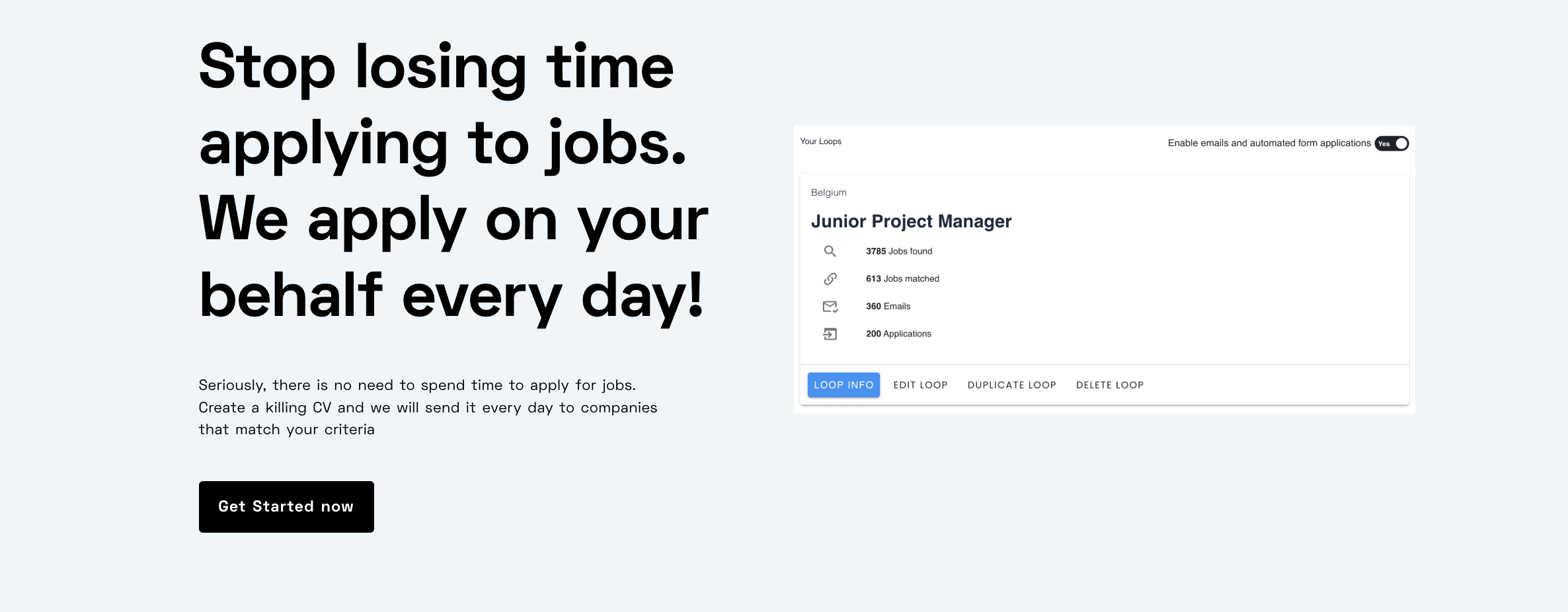
Loopcv automates your job search and overall hiring process by applying to multiple jobs on your behalf, saving you hours of effort.
Simply set your preferences, and the platform will handle applications, interview follow-ups, and tracking. Let Loopcv do the work while you focus on preparing for interviews and landing your dream job!
Reaching out to a hiring manager is one part of the job search. The resume, job selection, application materials, and follow-up process also need attention. LoopCV provides tools that can help manage these tasks without making every message or application identical.
- Find relevant opportunities: LoopCV's AI Job Search helps identify job opportunities based on the candidate's target roles and preferences.
- Review the resume: The AI CV Checker helps review a resume before applying, so the experience highlighted in an outreach message is reflected clearly in the application.
- Check relevant keywords: The Resume Keywords Checker helps identify relevant terms from a job description that may be missing from the resume. Add only keywords that accurately reflect the candidate's skills.
- Prepare application materials: The AI Cover Letter Generator can help create a starting draft tailored to a role. The final version should include genuine reasons for wanting to join the company.
- Reduce repetitive application work: LoopCV's automated job application features can help with repetitive parts of applying to suitable roles. Applications should still be reviewed to confirm that the position and submitted information are appropriate.
- Keep applications organized: Application tracking helps maintain a record of roles, application dates, and follow-up actions, making it easier to see when a response is due.
These tools support the wider job search, but the outreach itself should remain personal. A hiring manager should receive a message that reflects the candidate's real experience and a genuine reason for contacting them.
Conclusion
A good message to a hiring manager is brief, relevant, and specific. It identifies the role, highlights one useful point about the candidate's experience, and explains why the conversation matters.
Email provides space for a slightly fuller introduction, while LinkedIn works well for a short connection request or a message tied to a specific role. In both cases, personalization matters more than using a complicated template. One thoughtful follow-up is usually enough, and the job search should continue while waiting for a response.
FAQs (Frequently Asked Questions)
1. How to Draft a Message to a Hiring Manager?
- Keep it short and to the point.
- Include your name and the job for which you're applying, as well as a call to action.
- Check for grammatical and spelling errors.
- Sending a first email to a recruiting manager enables you to stand out from the crowd.
- Keep your first email succinct and relevant to the job you're looking for.
- Personalize the email by locating the recruiting manager's name and contact information.
- At the conclusion of your email, include a call to action.
2. How to contact a recruiter on LinkedIn
- Make the first move with a short but personalized email message to connect with the recruiter.
- Thank the Recruiter for accepting your request by sending a thank-you message.
- Maintain a Fruitful Relationship.
A courteous and professional demeanour might help you get your idea across swiftly, and it's also important to avoid lengthy paragraphs to keep the reader engaged. Remember that the recipient will be scanning your message, so avoid including anything that could confuse or distract them from what's truly essential. Write about items that are pertinent to their requirements or the specific job or description.
If the recruiter is not interested in your LinkedIn connections, you might not be able to send them a message on LinkedIn, which makes building personal connections all the more important. In such cases, a LinkedIn email finder tool can be invaluable for building an email list. It will help you fetch their email address, allowing you to reach out to them and expand your email list.
3. What is LinkedIn InMail & Who can DM There?
InMail is a messaging service available on LinkedIn's social-media-for-business platform. It enables you to send a brief message to any LinkedIn member in your outer circle's inbox.
If you use the free version of LinkedIn, you can only message persons with whom you have a professional connection.
You may message anybody you're connected to, anyone your connections are connected to, or anyone your connections' connections are connected to if you're a free LinkedIn member. This is vital to remember if you want to communicate with a recruiting manager for future opportunities who is not in your network.
4. How do I write a message to a hiring manager that stands out?
To stand out, personalize your message by addressing the manager by name and referencing something specific about the company or job opening. Focus on explaining your genuine interest and highlighting specific, relevant skills or accomplishments that make you a strong fit for the role. Always keep the message brief and focused.
4. Is it considered rude to contact a hiring manager directly via LinkedIn or email?
The content suggests avoiding overthinking this. Making direct contact is generally beneficial as it speeds up the job search process, shows keen interest, and helps you quickly network and create a professional connection. Recruiters are usually open to communication with potential candidates.
6. What key elements should I include in my initial message to a recruiter?
Your message should include the specific job title you are applying for, a clear statement of your enthusiasm, specific examples of your skills/accomplishments relevant to the role (e.g., proficiency with specific software), and a call to action, such as reviewing your attached resume or cover letter.
7. What alternative does LoopCV offer if messaging hiring managers feels too stressful or time-consuming?
LoopCV offers an automated solution for job searching. It handles the application process by applying to hundreds of highly-targeted jobs on your behalf, saving you hours of effort and allowing you to focus solely on preparing for interviews.
8. How does LoopCV automate the job application process?
Users simply set their job preferences, and the LoopCV platform takes over, managing the application submissions, interview follow-ups, and tracking automatically, thereby streamlining the overall hiring process.
9. What is the best way to find a hiring manager's contact information for personalization?
While LinkedIn is a starting point, if the manager is not in your network, you may use tools like a LinkedIn email finder to fetch their direct email address. Locating their contact information allows you to personalize the outreach effectively.
10. Should I use email or LinkedIn InMail to contact a hiring manager?
Both methods are viable. If you are a free LinkedIn member, you can only message direct connections. Email is often preferred as it allows for attached documents (resume/cover letter) and provides a more direct communication channel if you have their address.