Best Email Subject Lines When Sending a Resume: 20+ Examples
Your resume can be strong, relevant, and tailored to the role, but it still has to get opened first. When you're sending it by email, the subject line is the first piece of information a recruiter sees.
A good subject line tells the recipient what the email is about, which role you're applying for, and who sent it. It doesn't need to be clever. It needs to be clear.
Here are the subject lines that work for the most common resume-email situations, along with what to include and what to avoid.
A resume email subject line should make it immediately clear who is sending the email, what position it relates to, and why the recruiter is receiving it. The article provides formats for standard applications, job IDs, referrals, networking, follow-ups, speculative applications, and updated resumes.
- For a standard application, clarity matters most. A format such as [Job Title] Application - [Your Name] gives the recruiter the essential information at a glance, while a job ID can be added when provided by the employer.
- The subject line should match the situation. Referral applications can mention the referrer's name, follow-ups should identify the original application or conversation, and speculative applications should clearly state the type of opportunity being explored.
- Employer instructions take priority. If a job posting specifies an exact subject-line format, candidates should follow it. The article also recommends avoiding vague subjects, blank subject lines, overly casual wording, and unnecessary sales language.
- The core principle is recruiter readability: the subject should make the role, purpose, and sender easy to understand at a glance.
- LoopCV supports the wider application process with application-question assistance, application tracking, CV tools, cover-letter support, mock interviews, and other tools that reduce repetitive job-search work.
Why the Subject Line Matters
Recruiters often scan their inboxes rather than opening every message one by one. The subject line gives them the first context they need: who is contacting them, what the email is about, and whether it relates to a role they're currently hiring for.
It also becomes useful later. When a recruiter needs to find an application again, a subject line containing the job title, candidate name, or job reference makes the email much easier to search for.
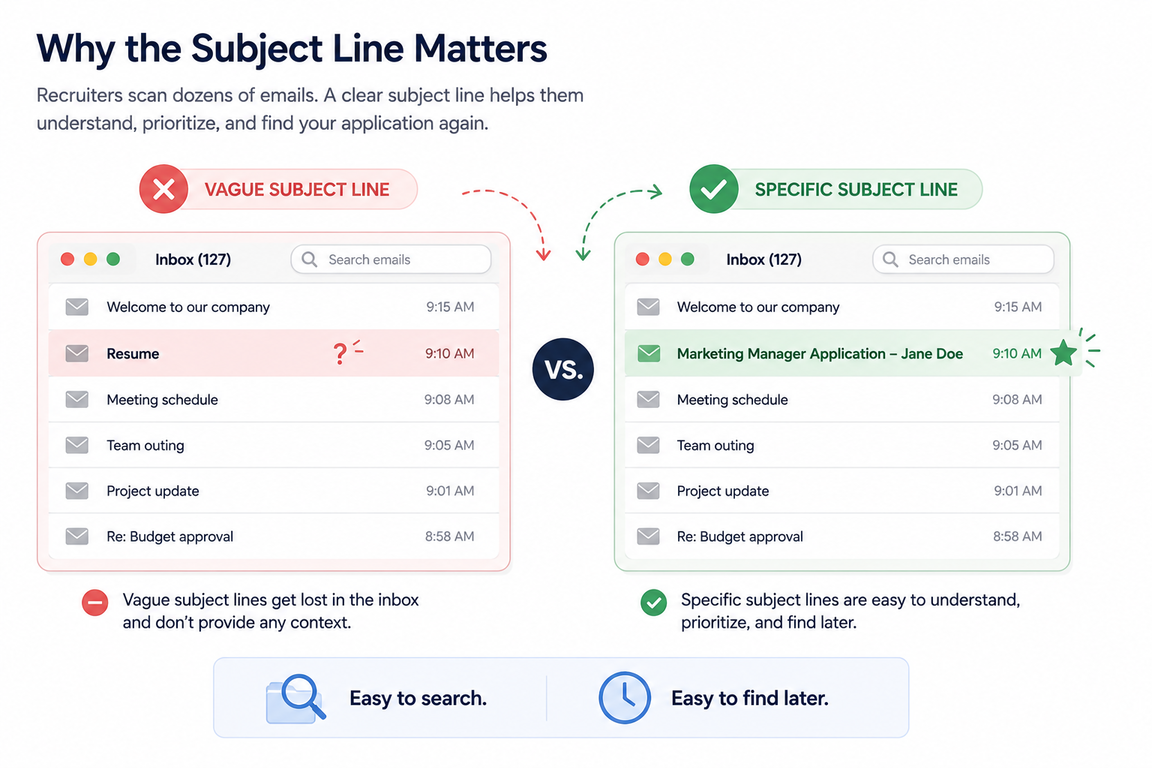
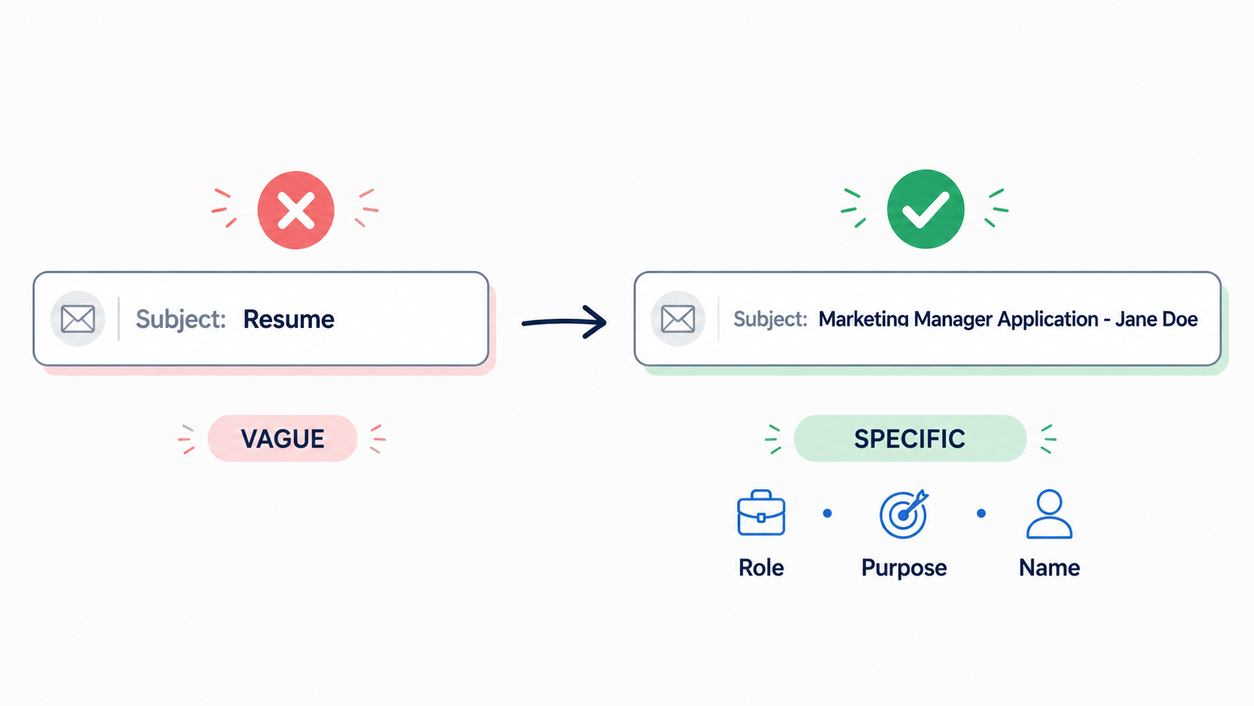
That's why a subject line such as: Marketing Manager Application - Jane Doe
works better than: Resume
The first tells the recruiter exactly what they're looking at. The second leaves them to figure it out themselves.
What Should a Resume Email Subject Line Include?
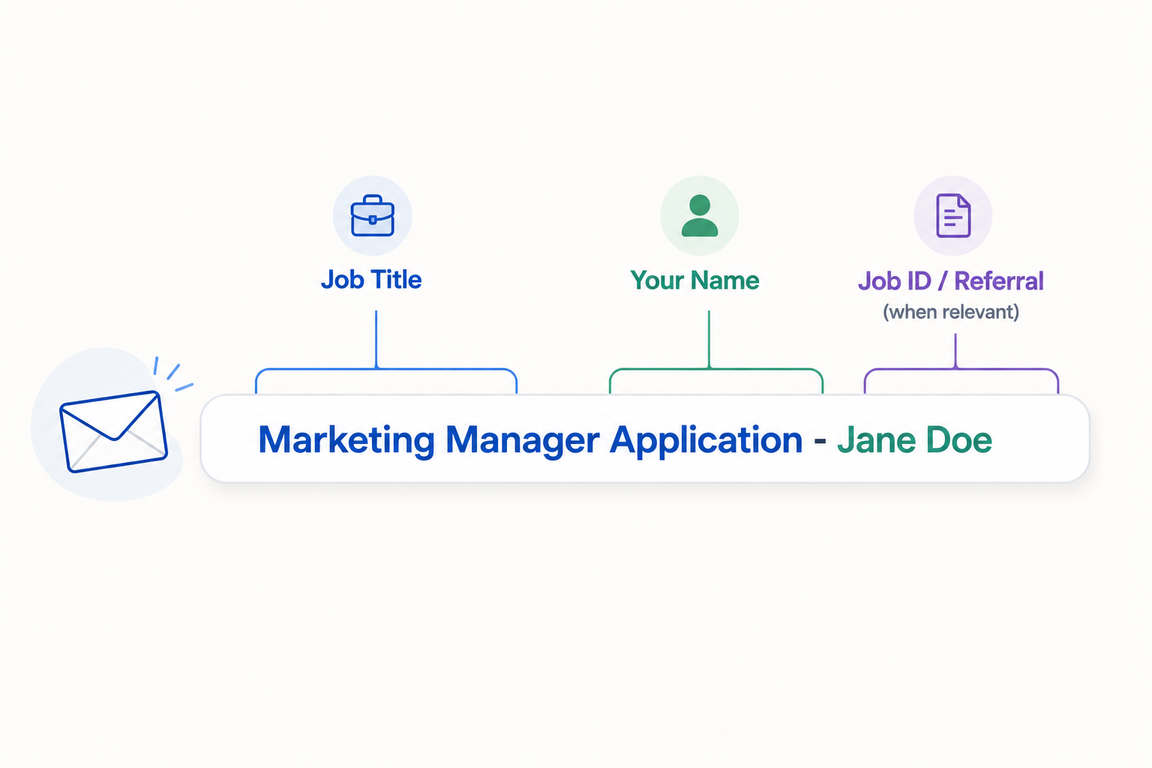
Most resume emails don't need a complicated formula. In most cases, three details are enough:
- The job title. Use the exact title from the job posting whenever possible.
- Your name. This makes the email easy to identify, especially when the recipient doesn't know you yet.
- A job ID, referral, or other relevant detail. Add this when the situation calls for it.
For example:
Senior Content Writer Application - Jane Doe
Or, if the posting includes a reference number: Senior Content Writer - Job ID 48291 - Jane Doe
If you've been referred: Referred by Sarah Lee - Senior Content Writer Application
The more specific the situation, the more useful the subject line can be.
The subject line is only one part of the application email. The rest should stay concise and focused on your experience and the role, especially when writing a job application email.
Best Email Subject Lines for Different Situations
The best subject line depends on why you're sending the resume. A standard application, referral, follow-up, and speculative application shouldn't all use the same format.
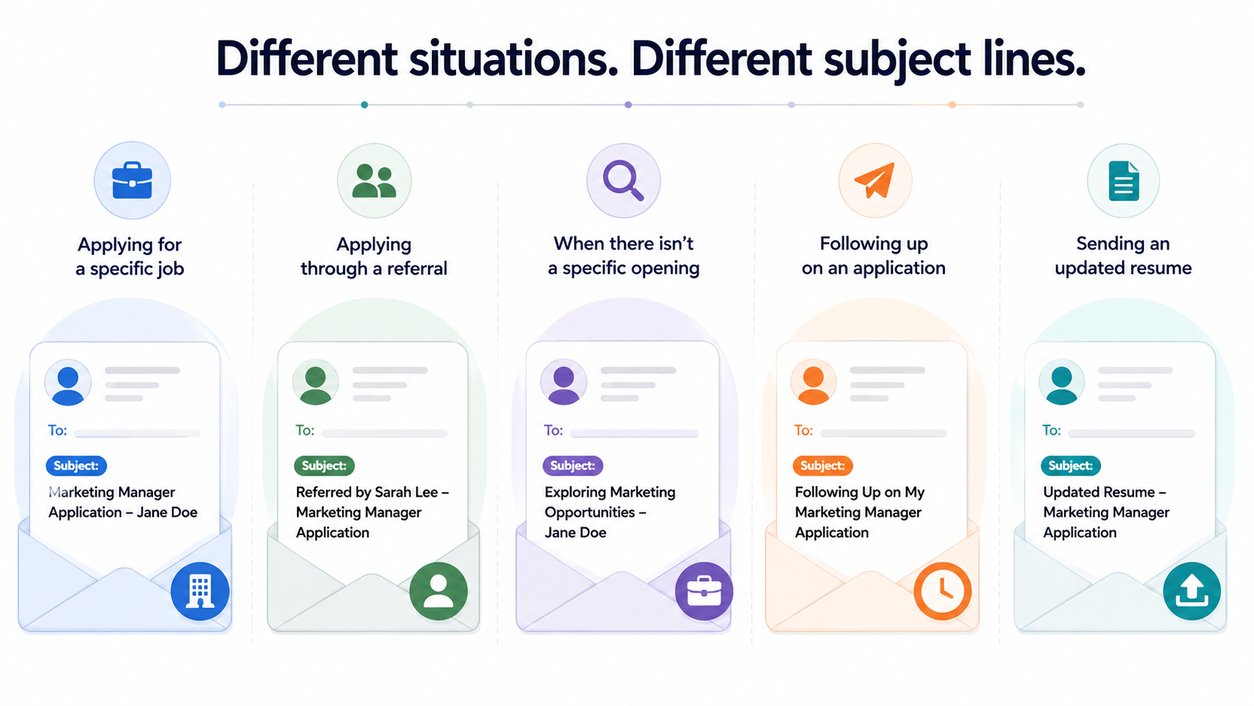
When applying for a specific job
If you're responding to a job posting, keep the subject line direct. The recruiter should be able to tell which position you're applying for without opening the email.
Examples:
- Marketing Manager Application - Jane Doe
- Application for Content Writer - Michael Carter
- Senior Data Analyst Application - Emily Brown
Using the exact job title also helps when the company is hiring for several similar positions.
When the job has a reference number
If the employer has provided a job ID, requisition number, or reference number, include it.
Examples:
- Marketing Manager - Job ID 12345 - Jane Doe
- Software Engineer - Req #84721 - Michael Carter
This is particularly useful when a company has several open positions with similar titles.
When you're applying through a referral
A referral is worth mentioning early because it gives the recruiter immediate context.
Examples:
- Referred by Sarah Lee - Marketing Manager Application
- Referral from James Carter - Software Engineer
- Referred by Emily Brown - Product Designer Application
If the person who referred you has asked you to use a particular subject line, follow their instructions.
When there isn't a specific job opening
You may sometimes be asked to send your resume for future opportunities or decide to contact a company even though there isn't a suitable opening listed.
Don't make the subject line sound like you're applying for a job that doesn't exist.
Instead, mention your target area.
Examples:
- Digital Marketing Specialist Resume - Jane Doe
- Exploring Marketing Opportunities - Michael Carter
- Software Engineer - Open to Future Opportunities - Emily Brown
This makes your intention clear without assuming that the company is currently hiring for that role.
When following up after a networking conversation
If you've met someone at an event, spoken with them online, or had a previous conversation about opportunities, use that context in the subject line.
Examples:
- Following Up After [Event Name] - Jane Doe
- Following Up on Our Conversation - Michael Carter
- Following Up About Marketing Opportunities - Emily Brown
The goal is to remind the recipient who you are before they even open the email.
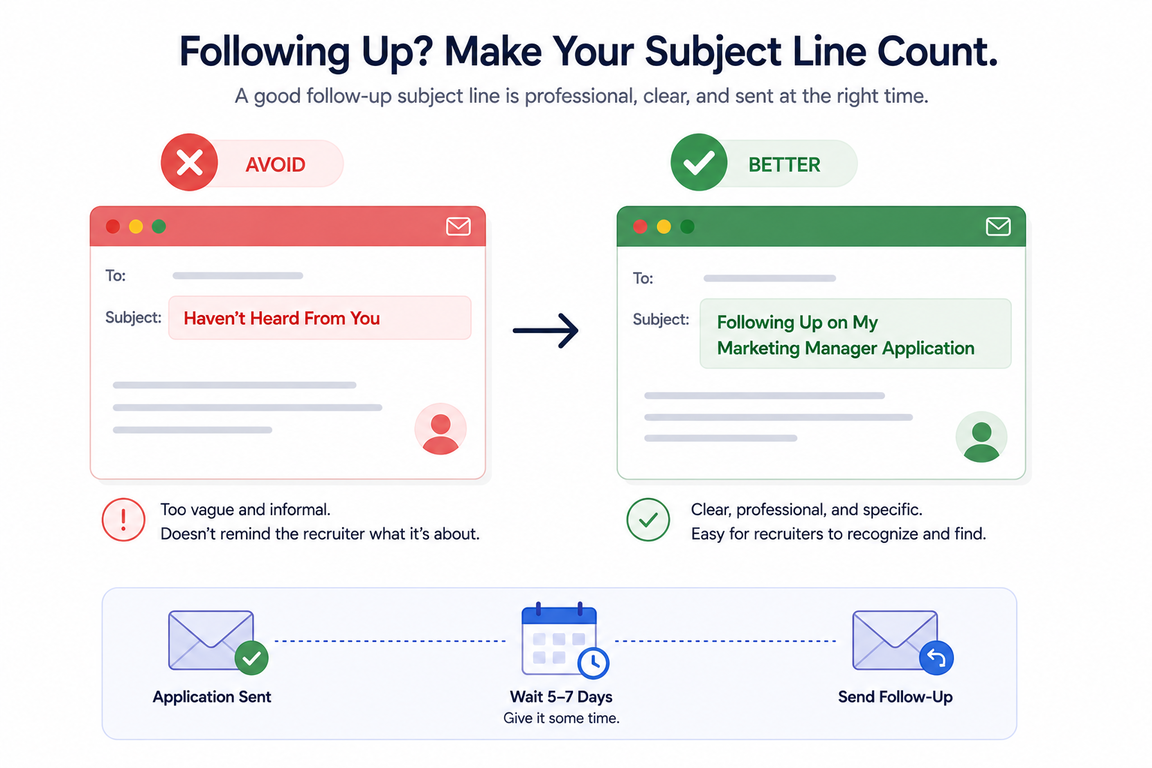
When following up on an application
If you've already applied, mention the role again and keep the tone neutral.
Examples:
- Following Up on My Data Analyst Application
- Follow-Up: Marketing Manager Application
- Following Up on My Application - Content Writer
You can also include the date if it adds useful context: Following Up on My Data Analyst Application, Sent July 14
The same approach applies to the rest of the follow-up email, where when to follow up after a job application matters just as much as what you write.
Avoid subject lines such as "Haven't Heard From You" or "I Sent My Resume Last Week." They don't add useful information and can make the follow-up sound impatient.
Pro tip: LoopCV's Ghosted Recruiter Follow-Up Email Generator creates a follow-up email and subject line based on where you are in the hiring process.
When sending an updated resume
If you've already sent your resume and need to send a corrected or updated version, make that clear.
Examples:
- Updated Resume - Marketing Manager Application - Jane Doe
- Updated Resume for Software Engineer Position
- Corrected Resume - Content Writer Application
There's no need to hide the fact that you're sending an updated file. A clear subject line helps the recruiter distinguish the new version from the previous one.
When the job posting gives specific instructions
This is the one situation where the general rules don't matter as much.
If the job posting says:
Subject line: Senior Product Designer #29881
Use exactly that.
Don't try to make it more creative or add information unless the instructions allow it. If the employer has specified a subject line, following it should take priority.
What to Avoid in a Resume Email Subject Line
The best subject lines are usually straightforward. Problems start when candidates either give too little information or try too hard to stand out.
Don't use a vague subject line
Resume, CV, Job Application.
These don't tell the recruiter which position you're applying for or who you are.
A better version would be: Marketing Manager Application - Jane Doe
Don't leave the subject line blank
A blank subject line makes the email look incomplete and gives the recipient no context before opening it.
Always include at least the purpose of the email and the role you're applying for.
Don't make it overly casual
Avoid: Hey! Check out my resume :)
Or: What's up?
The subject line should match the professional nature of the application.
Don't use unnecessary urgency
Words such as "URGENT" or "IMPORTANT" rarely add value to a normal job application.
If the application has a genuine deadline, follow the employer's instructions instead of trying to create urgency yourself.
Don't write the entire pitch in the subject line
Your subject line isn't the place to explain your experience, achievements, or reasons for wanting the job.
For example:
Experienced Marketing Manager With 7 Years of Experience Looking for an Opportunity at Your Company
is doing too much.
Keep that information in the email itself.
Pro tip: LoopCV's Job Application Email Templates include ready-to-use formats for applications, recruiter outreach, referrals, cold outreach, and follow-ups.
Keep the Subject Line Easy to Scan
Recruiters may see your email on a desktop, phone, or another device where the full subject line isn't immediately visible.
That makes the beginning of the subject line particularly important.
Put the information that matters most first: Marketing Manager Application - Jane Doe
rather than: Jane Doe - I am writing to apply for the Marketing Manager position
The first version communicates the purpose immediately.
There's also no need to fill the subject line with keywords. The job title, your name, and any relevant reference number are usually enough.
A Few Reliable Formats to Keep Handy
When there's no specific instruction in the job posting, these formats are safe starting points:
- Standard application: [Job Title] Application - [Your Name]
- With a job ID: [Job Title] - Job ID [XXXXX] - [Your Name]
- Through a referral: Referred by [Name] - [Job Title] Application
- Speculative application: Exploring Opportunities in [Field] - [Your Name]
- After networking: Following Up on Our Conversation - [Your Name]
- Application follow-up: Following Up on [Job Title] Application
- Updated resume: Updated Resume - [Job Title] Application - [Your Name]
These formats aren't rules you have to follow word for word. They're starting points. The important thing is that the recipient can understand the purpose of the email immediately.
How LoopCV Makes This Easier
Writing one good resume email is simple enough. The challenge comes when you're applying to multiple roles and need to find the right jobs, tailor each application, send the right emails, and keep track of everything.
This is where LoopCV helps automate the repetitive parts of the job search:
- Job discovery across 30+ job boards: LoopCV searches multiple job boards to find opportunities based on your role, location, experience, and preferences.
- Automated job applications: LoopCV can fill out and submit applications for relevant roles, or let you review them before they are sent.
- CV tailoring for each role: LoopCV adapts your CV to the requirements of individual job descriptions instead of relying on the same version for every application.
- Personalized recruiter outreach: LoopCV can find recruiter contact information and send personalized outreach with your CV when direct contact is available.
- Application questions handled for you: LoopCV can generate answers to screening questions using information from your CV and previous responses.
- Application tracking in one place: LoopCV keeps your applications organized so you can track submissions, responses, and follow-ups without maintaining a separate spreadsheet.
- Tools to improve your applications: LoopCV also offers an AI CV Checker, CV Builder, CV A/B testing, and performance analytics to help improve your application materials and results.
- Support beyond applications: LoopCV also offers tools for cover letters, mock interviews, and career guidance, covering more of the job search beyond finding and applying to jobs.
The goal is to take repetitive work out of the job search while keeping you in control of the opportunities that matter most.
Final Takeaway
A good resume email subject line doesn't need to be clever. It needs to be clear enough that a recruiter can understand the role, purpose, and sender at a glance.
When you're applying for a specific position, [Job Title] Application - [Your Name] is usually enough. Add a job ID when the employer provides one, mention a referral when someone has referred you, and use the exact format requested in the job posting whenever there are specific instructions.
The best subject line is usually the one that makes the recruiter's job easier.
FAQs
What should I write in the email subject when sending a resume?
Use a clear format that includes the job title and your name, such as Marketing Manager Application - Jane Doe. Add a job ID if the employer has provided one.
What is the best subject line for a job application email?
For most applications, [Job Title] Application - [Your Name] is a simple and effective format. If the job posting gives specific instructions, follow those instead.
Should I put my name in the email subject when sending a resume?
Yes. Including your name makes the email easier to identify, especially when the recruiter is handling applications for multiple roles.
Should I write "Resume" in the email subject line?
You can, but "Resume" alone is too vague. Include the role and your name so the recipient immediately knows what the email is about.
What should I write in the subject line when applying through a referral?
Mention the referral and the role, such as Referred by Sarah Lee - Marketing Manager Application. This gives the recruiter useful context before opening the email.
What should I put in the subject line when following up on a job application?
Keep it specific and neutral, such as Following Up on My Marketing Manager Application. You can also include the date you originally applied if it adds useful context.