Jobscan Review: Is It Worth Paying For?
Jobscan is worth paying for when a candidate is applying to a small number of roles and wants to tailor the resume closely to each one. Its core tool compares a resume with a specific job description and returns a match rate. It also lists the hard skills, soft skills, and formatting issues the resume may be missing. For someone preparing five carefully chosen applications a week, that feedback can sharpen each one.
The value is less clear when the main challenge is volume rather than resume quality. Jobscan’s checks are run one posting at a time. Its new Auto Apply feature is credit-based and built for a few applications a day, not a broad search. For many candidates, the free scans may be enough, and Premium makes the most sense during an active, targeted search. This review looks at how Jobscan works, what the free plan and Premium include, what users say, and who should pay versus who can skip it.
- Jobscan’s Resume Scanner compares a resume with one job description at a time and returns a match rate, plus missing keywords and formatting fixes.
- The free plan includes a limited number of scans. Premium unlocks unlimited scans, AI optimization, the LinkedIn optimizer, and other tools.
- Auto Apply is a newer, credit-based feature that requires approval before every submission and is designed for a few applications a day.
- Users praise the keyword feedback. Common complaints involve billing, cancellations, and keyword suggestions that feel too literal.
- Jobscan is a good fit for targeted, high-stakes applications and a weaker fit for candidates who need to reach many employers quickly.
- LoopCV is a strong Jobscan alternative: it covers keyword checks, AI resume building, and ATS reviews, and also finds jobs, applies, and contacts recruiters.
Jobscan at a glance
| What it is | An ATS resume scanner and job search toolkit |
| Main tool | Resume Scanner with match rate and keyword report |
| Free plan | Yes, with limited scans |
| Premium | Billed monthly or quarterly, with a free trial on the quarterly plan |
| Auto Apply | Credit-based, with approval before each submission |
| Ratings | Trustpilot 4.3/5 (347 reviews) · G2 4.1/5 (14 reviews) |
| Best for | Candidates tailoring a resume for a few high-priority roles |
| Less suited to | Candidates who need to apply widely or want applications handled for them |
What is Jobscan?

Jobscan is a resume optimization platform built around applicant tracking systems (ATS), the software many employers use to collect and filter applications. Its best-known tool, the Resume Scanner, checks how closely a resume matches the wording of a specific job posting. Over time, Jobscan has added a LinkedIn optimizer, resume and cover letter builders, a job tracker, and a job board matched to the candidate’s resume. It has also added interview practice and Auto Apply.
The idea behind Jobscan is that recruiters often search an ATS for specific skills and job titles. A resume that describes the right experience in different words may rank lower in those searches. For example, a posting might ask for “stakeholder management” while the resume only says “worked with cross-functional partners.” Jobscan flags that gap, so the candidate can use the employer’s wording wherever it’s accurate.
How Jobscan works
The core workflow takes a few minutes for each job:
- Upload or paste the resume. Jobscan accepts a file or plain text.
- Paste the job description. This is the posting the resume will be compared against.
- Review the match report. Jobscan shows a match rate, matched and missing hard skills, soft skills, and job-title terms, plus checks formatting and how easily an ATS can search the resume.
- Edit and rescan. The candidate updates the resume, either manually or with AI suggestions on Premium, and scans again to see the new score.
For example, a marketing coordinator applies for a “Digital Marketing Specialist” role, scans the resume, and gets a moderate match. The report flags “SEO,” “Google Analytics,” and “A/B testing” as missing, even though the candidate ran A/B tests on email campaigns. Rewriting one bullet as “Ran A/B tests on email subject lines, lifting open rates by 12%” adds a real, relevant keyword without inventing anything.
LoopCV’s guide to ATS resume formatting covers the layout side of getting past ATS screens, which matters as much as keywords.
Pro Tip: When a keyword is missing, add it inside a bullet that proves the skill instead of listing it in a skills section. LoopCV’s free CV Bullet Generator can turn a rough task description into a results-focused bullet that uses the right term naturally.
Jobscan’s key features
Jobscan’s toolkit has grown well beyond the original scanner. Here’s what each part does.
Resume Scanner and match rate
This is the main reason most people use Jobscan. The report breaks down hard skills, soft skills, and job title, along with formatting checks such as section headings and file type. The match rate is a guide, not a target. A resume stuffed with keywords to raise the score can read poorly to the recruiter who opens it next.
AI resume optimization
Premium adds AI tools that suggest rewrites to close keyword gaps. Jobscan’s own comparison pages describe a one-click optimizer with built-in match scoring, a resume summary generator, and a bullet point generator. These suggestions still need checking, since only the candidate knows which skills are true.
LinkedIn Optimization
The LinkedIn tool compares a profile against target roles and suggests improvements to the headline, summary, and skills. That helps candidates whom recruiters find through LinkedIn search, not just through applications.
Resume and cover letter builders
Jobscan offers an ATS resume builder and a cover letter generator. Some reviewers found the templates limited and basic. They suggest building the resume elsewhere and using Jobscan to check it.
Job tracker and matched jobs
A job tracker and a Chrome extension help candidates save postings and track application stages. Jobscan also has a job board that shows openings matched to the uploaded resume.
Auto Apply
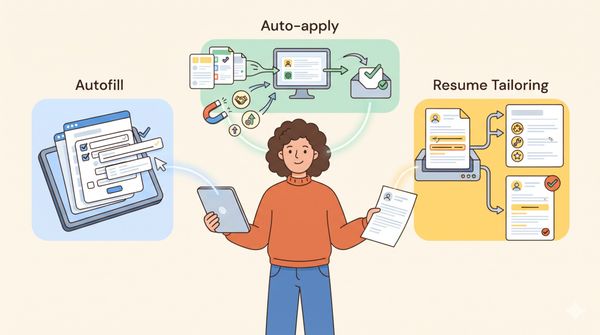
Jobscan Auto Apply is the newest addition. It finds matching jobs on applicant tracking systems such as Greenhouse, Lever, and Workable, plus 20+ other ATS platforms. It then autofills applications and drafts answers from the resume. Nothing is submitted until the candidate reviews and approves it. Jobscan positions it for “a few well-matched roles a day” rather than bulk applying, and each application uses one credit.
Jobscan pricing
Jobscan doesn’t publish its Premium prices on its public website. They appear on its plans page inside the app after sign-up. Jobscan’s own pages confirm the following:
- Free plan: Includes a limited number of resume scans and basic tools.
- Premium: [ADD PRICE AFTER CHECKING app.jobscan.co/plan]. Billed monthly or quarterly. Includes unlimited scans, AI optimization, the LinkedIn optimizer, resume tools, the job tracker, and the Chrome extension.
- Free trial: Available on the quarterly Premium plan. Under Jobscan’s trial and cancellation policy, the card is charged only after the trial ends, and you can cancel the trial at no cost.
- Auto Apply credits: Premium includes a small monthly allotment. Jobscan’s Auto Apply page sells extra credits in packs: 5 for $8.50, 10 for $15, or 25 for $35.
- Cancellation: Done from the Account page. The account moves to the free plan at the end of the current billing period.
- Refunds: Not automatic. Jobscan’s policy considers refunds only if the charge is disputed within 2 calendar days and the service wasn’t used in that billing period. A 3.5% fee applies.
Because the refund window is so short, candidates who start a trial should note the end date. If they don’t plan to continue, they should cancel before it ends.
Jobscan ratings and what users say
Ratings: Trustpilot (4.3/5, 347 reviews) · G2 (4.1/5, 14 reviews)
What users say
Many positive reviews credit the keyword feedback with quick results. One Trustpilot reviewer wrote:
“Jobscan got me a job within 3 applications”
— Brandon James, Trustpilot, April 2026

Others mention aiming for a specific score before sending a resume:
“using an 85% match rate tailored resume”
— Steven P., Trustpilot, May 2026

On the critical side, some users find the keyword detection too literal, saying it misses terms that are already on the resume:
“fails to read the words to identify keywords that are included”
— Chris Vest, Trustpilot, January 2025

Billing is the other recurring theme in negative reviews:
“I have cancelled my subscription 3x and after a few days, they would still charge!”
— Consumer, Trustpilot, March 2025

Jobscan pros and cons
Pros:
- Detailed, job-specific keyword reports that are easy to act on
- Formatting and searchability checks alongside keyword matching
- LinkedIn optimization, which many resume tools don’t offer
- Auto Apply, with approval required before every submission
- A long-established brand, with a free plan to test the scanner
Cons:
- Premium prices aren’t listed on the public website
- Each scan covers one posting, which gets slow across dozens of applications
- Keyword matching can feel too literal and may encourage keyword stuffing
- A short refund window, plus billing complaints in reviews
- Templates are basic compared with dedicated resume builders
Is Jobscan worth paying for?
The answer depends on how the candidate is searching.
Jobscan Premium is likely worth it if the candidate:
- Is applying to a handful of high-priority roles and wants every resume closely tailored
- Is changing careers and needs to translate past experience into a new field’s language. For example, a teacher moving into instructional design might learn that “curriculum development” and “learning management systems” are expected terms.
- Isn’t getting responses and suspects the resume isn’t matching ATS searches
- Wants LinkedIn profile feedback alongside resume checks
The free plan or another tool may be enough if the candidate:
- Only needs to check one or two resumes against a few postings
- Already has a well-matched resume, and the real limit is how many jobs they can find and apply to
- Needs to send many applications each week, where tailoring for each posting becomes the bottleneck
- Wants applications and recruiter outreach handled for them
Resume quality and application volume both affect how many interviews a candidate gets. LoopCV’s LoopCV vs Jobscan comparison explains how to tell which one is holding a search back.
Pro Tip: A strong resume deserves a cover letter that matches it. Before sending a priority application, run the letter through LoopCV’s free Cover Letter Grader to check its relevance, structure, and tone.
How LoopCV can help as an all-in-one Jobscan alternative

Jobscan focuses on getting the resume right. LoopCV covers the same resume work, then carries on through the rest of the job search: finding openings, applying, contacting recruiters, and tracking replies. Many candidates would otherwise pay for a resume scanner and still apply to every job by hand. LoopCV keeps all of it in one place.
Resume tools that cover what Jobscan does:
- Keyword matching: The free Resume Keywords Scanner compares a resume with any job description and highlights missing terms, much like a Jobscan match report.
- ATS checks: The AI CV Checker reviews structure, formatting, and ATS readiness, and suggests specific fixes.
- Resume building: The AI CV Builder creates ATS-friendly CVs, including separate versions for different target roles. For example, a data analyst might keep one version focused on SQL and dashboards and another on stakeholder reporting.
- Cover letters: The Cover Letter Generator drafts a tailored letter for each role.
- LinkedIn profile: The free LinkedIn Headline Generator writes keyword-rich headlines that help recruiters find the profile.
- Interview practice: The AI Mock Interview prepares candidates for the calls their resume brings in.
What LoopCV adds beyond the resume:
- Resume testing with real results: CV Improvements shows which CV version actually gets more responses from employers, not just which one scores higher.
- Continuous job discovery: The AI Job Search Tool checks 30+ job boards and platforms for new openings, and Job Matching ranks them by fit.
- Applying without credit packs: Auto Apply submits applications automatically. One-Click Apply lets the candidate approve each one first. Either way, applications count toward the plan’s monthly quota rather than needing credit packs.
- Recruiter outreach: The Email Finder and Dynamic Emails send personalized messages to recruiters with the CV attached and track opens.
- One tracker for everything: The Job Application Tracker records every application, email, and reply automatically.
LoopCV has a free-forever plan, with no card needed to sign up. Paid plans start from €9.99/month on its pricing page. Candidates can check and build their resume, then put it to work across a broader search, without paying for a separate subscription at each step. LoopCV handles the repetitive work, but the candidate still decides which roles fit and makes sure every detail on the resume is accurate.
Other Jobscan alternatives worth knowing
Candidates weighing Jobscan often compare it with a few other tools:
- Teal: A resume builder with keyword matching and a job tracker. According to Teal’s help center, Teal+ costs $13/week, $29/month, or $79/quarter.
- Jobright: Job matching with tailored resumes and autofill, with a free plan.
LoopCV’s Jobscan alternative page compares the features side by side.
Conclusion
Jobscan is a well-established, useful tool for one specific job: making a resume match a particular posting. Its keyword reports are clear and practical, and the LinkedIn optimizer adds value. Auto Apply now covers low-volume applying, with an approval step. For candidates applying to a few roles that really matter, Premium can be worth it during an active search.
It’s less of a fit when the challenge is reaching enough employers. Scanning one posting at a time is slow, Premium prices only show up after sign-up, and the refund window is short. LoopCV covers the same resume essentials—keyword checks, ATS reviews, and AI resume building—and also handles job discovery, applications, and recruiter outreach. That makes it the more complete option for candidates who want one tool for the whole search.
FAQs
Is Jobscan free?
Partly. Jobscan has a free plan with a limited number of resume scans and basic tools. Unlimited scans, AI optimization, and the LinkedIn optimizer require Premium.
How much does Jobscan cost?
Jobscan shows Premium prices inside the app rather than on its public website, so the current price is visible only after sign-up. Premium is billed monthly or quarterly, and the quarterly plan includes a free trial.
Is Jobscan legit?
Yes. Jobscan is a long-running, established company, and its tools work as described. Reviews are mostly positive, with a 4.3/5 rating on Trustpilot, though some users report billing and cancellation problems.
What is a good Jobscan match rate?
No single number guarantees an interview. A higher match rate shows closer keyword alignment, but the resume should still read naturally and only include skills the candidate actually has.
Does Jobscan apply to jobs for you?
Partly. Jobscan Auto Apply finds jobs, fills in applications, and drafts answers, but you must approve each application before it’s submitted, and each one uses a credit. It’s designed for a few applications a day, not bulk applying.
Can I get a refund from Jobscan?
Only in limited cases. Jobscan’s policy says you must request a refund within 2 calendar days of the charge, and you must not have used the service during that billing period. A 3.5% fee applies.
How do I cancel Jobscan?
Use the Cancel Membership option on the Account page. Canceling during the trial avoids the charge. Canceling a paid plan moves the account to the free plan at the end of the current billing period.
What is the best alternative to Jobscan?
For most job seekers, LoopCV. It offers a free Resume Keywords Scanner, an AI CV Checker, and an AI CV Builder, and it also finds jobs, applies automatically or after approval, and emails recruiters. It offers a free plan to get started.