
How to Use ChatGPT for Job Search (+ Best Prompts for Applications & Interviews)
ChatGPT for job search has become a practical option for candidates who want help with writing, interview prep, networking, and other parts of the hiring process. What makes ChatGPT for job search useful is not just speed, but the ability to turn rough ideas into clearer and more polished communication.
Still, good results do not happen automatically. Most people know what they want help with, but they are not always sure how to phrase that request in a way that leads to something genuinely useful. That is why ChatGPT for job search works best when the prompt is clear, specific, and structured.
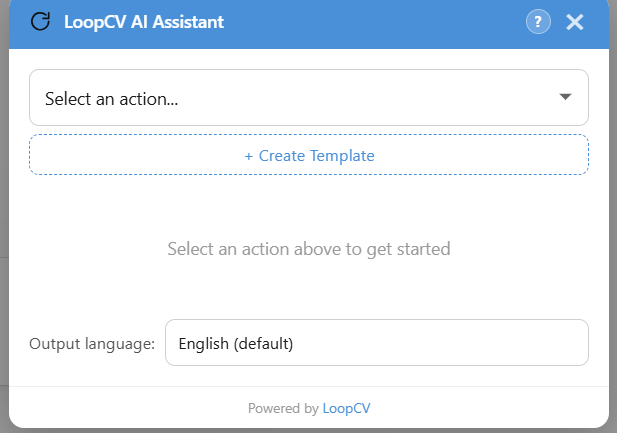
This is exactly where the LoopCV AI Assistant comes in. Instead of starting from a blank page each time, users can open the assistant from the sidebar, choose a template, complete a few details, and generate a stronger prompt in seconds. That makes ChatGPT for job search feel easier to use in a real, everyday workflow.
Download our Chrome Extension to get access to the LoopCV AI Assistant → Apply Tool
Why ChatGPT for Job Search works better with structure
When candidates first start experimenting with AI, many search for things like ChatGPT resume prompts, ChatGPT resume prompts Reddit, or ChatGPT resume prompts LinkedIn because they want examples that feel tested by real people. Others look for best ChatGPT job search prompts or proven ChatGPT prompts for job seekers because they want a stronger starting point. The useful part is not copying those prompts word-for-word, but adapting them to your own experience, target role, and application goal.
The challenge is that broad requests often produce broad answers. A prompt with the right context usually leads to a much better response. The LoopCV AI Assistant is designed to make ChatGPT for job search easier by giving users a more guided starting point from the very beginning.
How to use the LoopCV AI Assistant for ChatGPT for job search
The assistant is simple to use, which is one of the main reasons it works so well.
1. Open the assistant from the sidebar
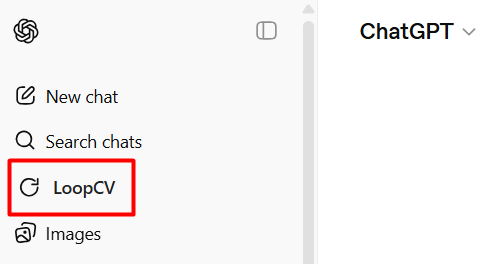
Start by opening the LoopCV AI Assistant from the sidebar while you are already in ChatGPT. This lets you build and use your prompt without breaking your flow or switching back and forth between tabs.
This is one reason ChatGPT for job search feels more manageable with the assistant. Everything starts from the same place, which makes the process feel more direct and less scattered.
2. Choose a built-in template
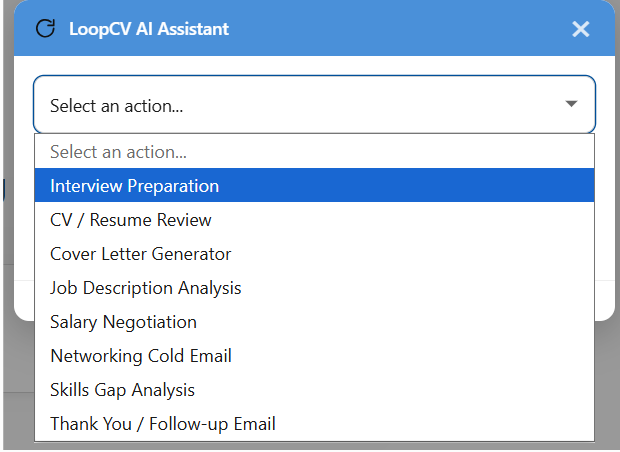
Once the assistant is open, choose the template that fits your goal. The built-in options cover common needs such as cover letters, networking messages, salary negotiation, and interview preparation.
This is especially useful for ChatGPT for job application tasks, because many candidates need help with the same kinds of writing again and again. Instead of building every prompt from scratch, users can rely on a format already suited to ChatGPT for job application workflows. The same is true for ChatGPT for job interview practice, where better structure usually leads to more realistic questions and more relevant answers.
3. Fill in the important details
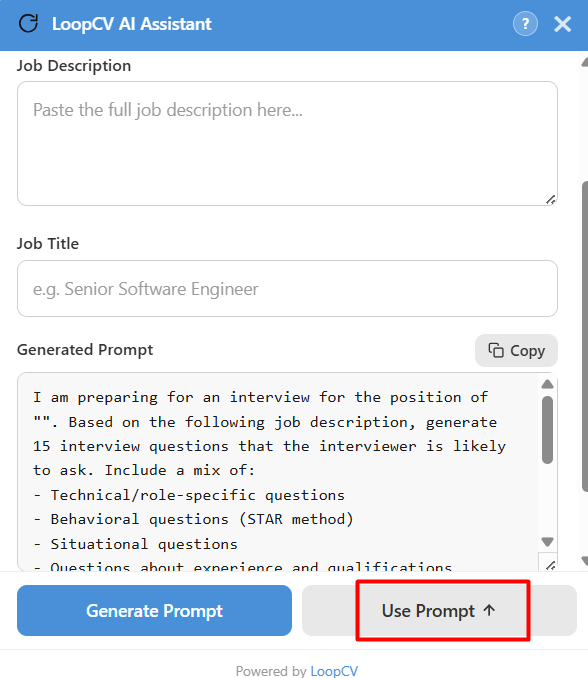
After selecting a template, complete the key fields. These may include the job title, company name, level of experience, or any other details needed to guide the prompt.
This is especially important for candidates using ChatGPT for resume writing or ChatGPT for resume tailoring. Many users search for how to use ChatGPT for resume writing, how to use ChatGPT for resume tailoring, or ChatGPT prompts for resume tailoring because they want their CV to feel more aligned with a specific job description. In practice, the output improves most when the prompt includes real context: achievements, seniority level, target role, and the job description itself.
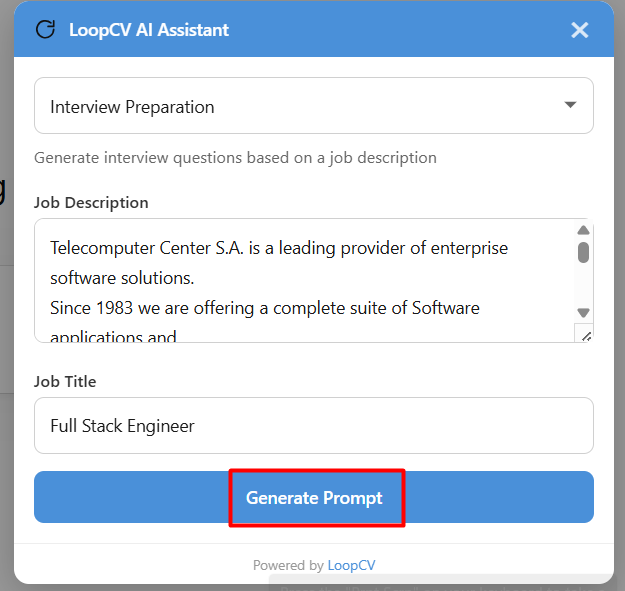
4. Click Use Prompt
Once the prompt is ready, click Use Prompt to insert it directly into ChatGPT and send it automatically. That removes extra copy-paste steps and makes the process feel much smoother.
For anyone using ChatGPT for job hunting regularly, reducing those extra steps makes a real difference. A smoother workflow helps ChatGPT for job hunting feel like part of a routine rather than another task to manage. It also keeps ChatGPT for job search focused on the useful part: getting a better result faster.
5. Create custom templates when needed
Built-in templates cover a lot, but some users want a more personal approach. That is why the assistant also supports custom templates.
Custom templates are also useful when you keep reusing similar prompt types, such as ChatGPT prompts for resume examples, ChatGPT prompts for resume free template, or an AI prompt to tailor resume to job description. Instead of rebuilding the same request every time, users can save the version that works best for them and reuse it across similar applications.
6. Select the output language
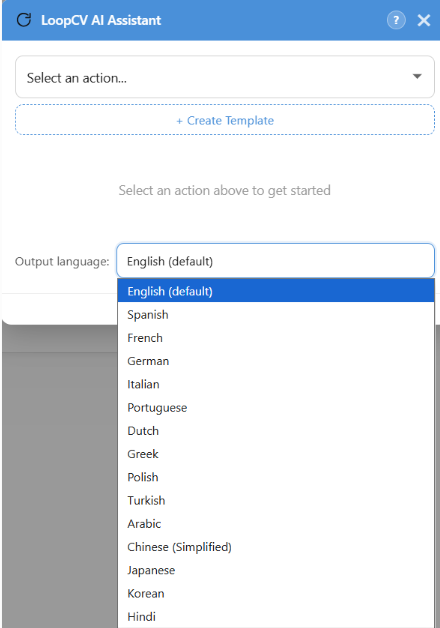
The assistant also supports multiple output languages. Users can choose the language they want, and that instruction is added automatically to the prompt.
This is another reason ChatGPT for job seekers can fit a wider range of real-world needs, especially for candidates applying in international or multilingual environments.
Best ways to use the LoopCV AI Assistant
One of the strengths of the assistant is that it supports several parts of the hiring process, not just one.
One obvious use is ChatGPT for job application support, especially when writing cover letters, improving short professional summaries, or refining a message to a recruiter. Another is ChatGPT for job hunting, where users may want help with follow-ups, outreach variations, or staying organized across multiple roles. The assistant is also valuable for ChatGPT for job interview preparation, since a more detailed prompt can help users practice better answers and focus on the exact role they are targeting. More broadly, it makes AI feel more accessible for ChatGPT for job seekers who want useful support without needing to become experts in prompt writing. In each of these cases, ChatGPT for job search becomes easier to use because the structure is already there.
Students and early-career professionals often search for AI job search prompts for students, free AI job search prompts, or broader AI prompts for job seekers because they may not have years of experience to draw from yet. In those cases, structured prompting can help turn internships, coursework, projects, certificates, or volunteer experience into stronger application material.
Why the LoopCV AI Assistant makes ChatGPT easier to use
The biggest obstacle for many people is not the task itself, but the blank page. They know they need help, but they hesitate because they are unsure how to ask for it clearly.
Without guidance, ChatGPT for job search can sound promising but still feel inconsistent. The assistant removes that friction and gives ChatGPT for job search a clearer starting point. That not only improves ChatGPT for job application results, but also makes ChatGPT for job interview practice more focused and supports a steadier ChatGPT for job hunting workflow. Most importantly, it makes ChatGPT for job search easier to trust and easier to repeat.
Final thoughts
Used well, ChatGPT for job search can save time, improve communication, and help candidates feel more prepared throughout the hiring process. The part that often makes the difference is not the tool itself, but the quality of the prompt.
That is why the LoopCV AI Assistant adds so much value. It gives ChatGPT for job seekers a simpler way to create stronger prompts, use templates more effectively, and get more relevant results with less effort. It also makes ChatGPT for job interview work more focused and practical in real situations.
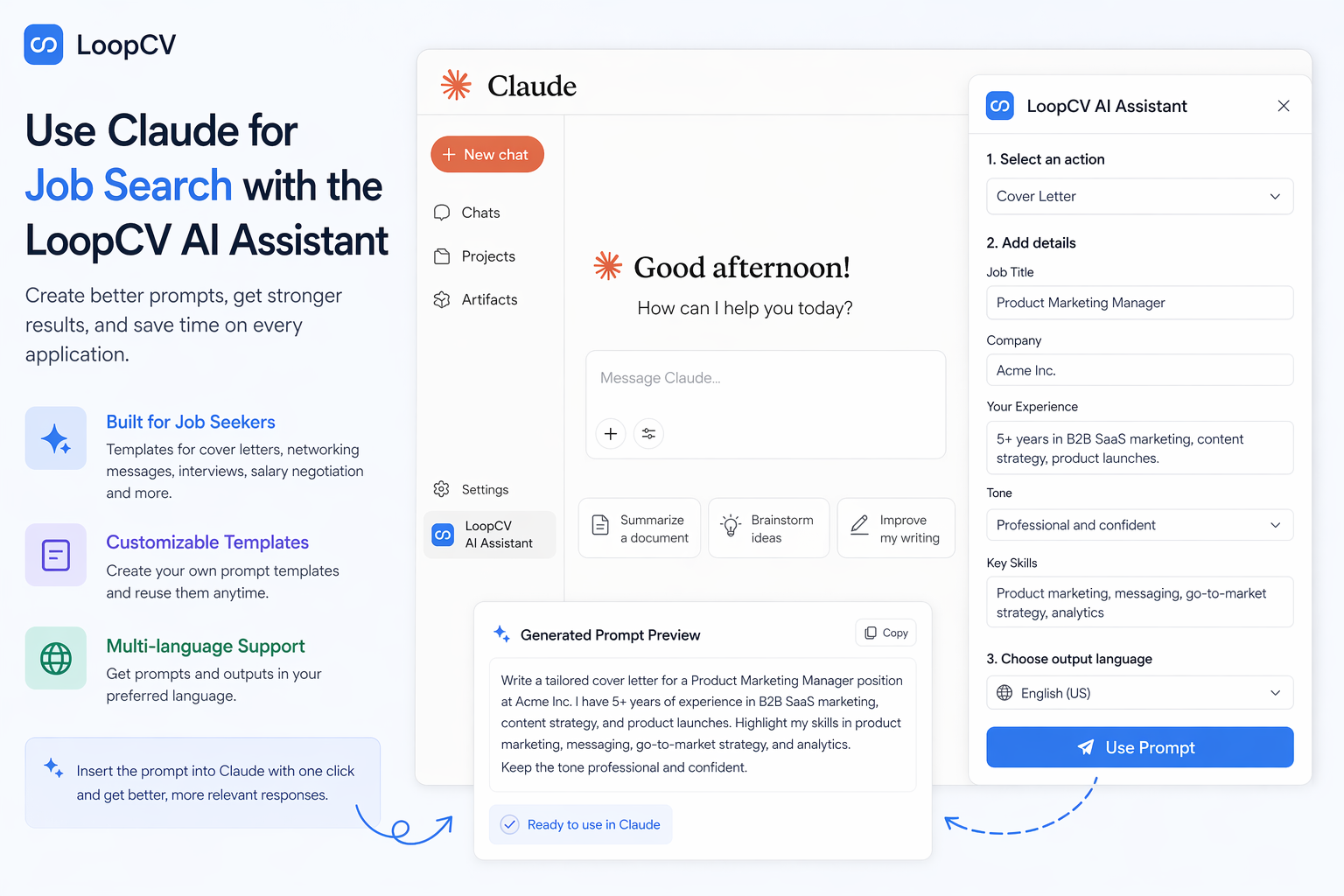
Looking for another AI assistants to help you in your job search? Check our relevant guides for Claude and Gemini as well
 George Lambdus
 George Lambdus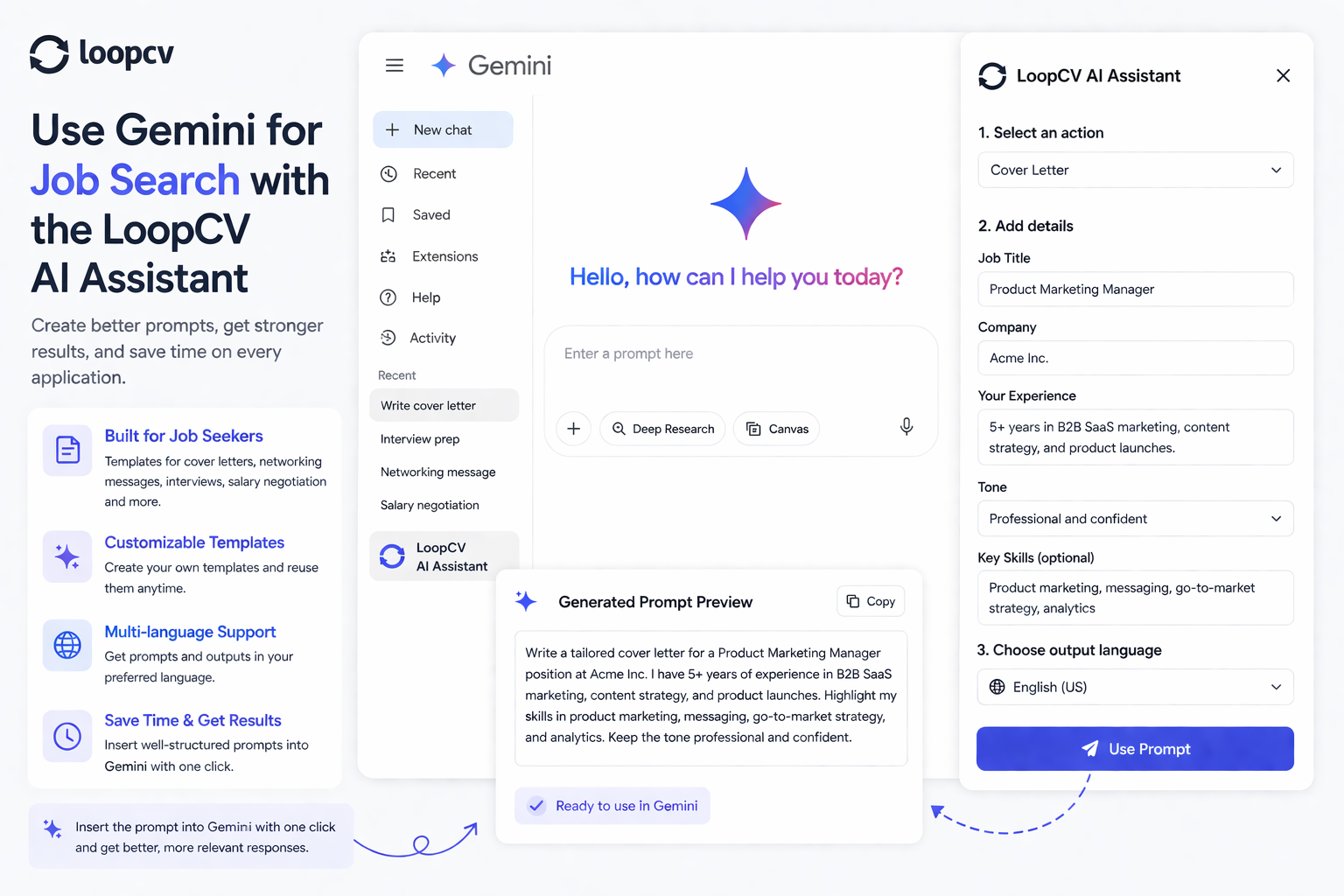
Related guides
- Using AI in Job Interviews: Fair Game vs Cheating
- How to List AI Skills on Your Resume
- How to Build a Job Search System Using AI Tools
If you prefer ready-made assistants over raw prompting, start with the best GPTs for job searching.